For the people
writing about Zoro.
Zoro is an opinionated personal task app that strips agile down to what one person actually needs. Single-player on purpose. iCloud-only sync. $59.99 once. Made by one developer for the desk, not the team.
Quick facts
The one-pager.
What's distinctive
Five things to cover.
1. Single-player on purpose.
No assignees, no @-mentions, no roles, no comment threads. The unit of work is the task. The user is the swordsman.
2. iCloud-only sync, no account.
No signup, no email, no password. Zoro syncs between iPhone and Mac through the user's own iCloud Private Database. There is no Zoro server.
3. $59.99 once, honestly.
Alongside $2.99/mo and $19.99/yr options. A one-time, own-it-forever price is credible because there's no server cost to fund — Apple Developer Program is the only recurring expense.
4. Three verbs.
Cut, Sharpen, Focus. Three priorities (P1/P2/P3), three sizes (S/M/L), three default statuses. Reduction, not expansion.
5. Two views, one model.
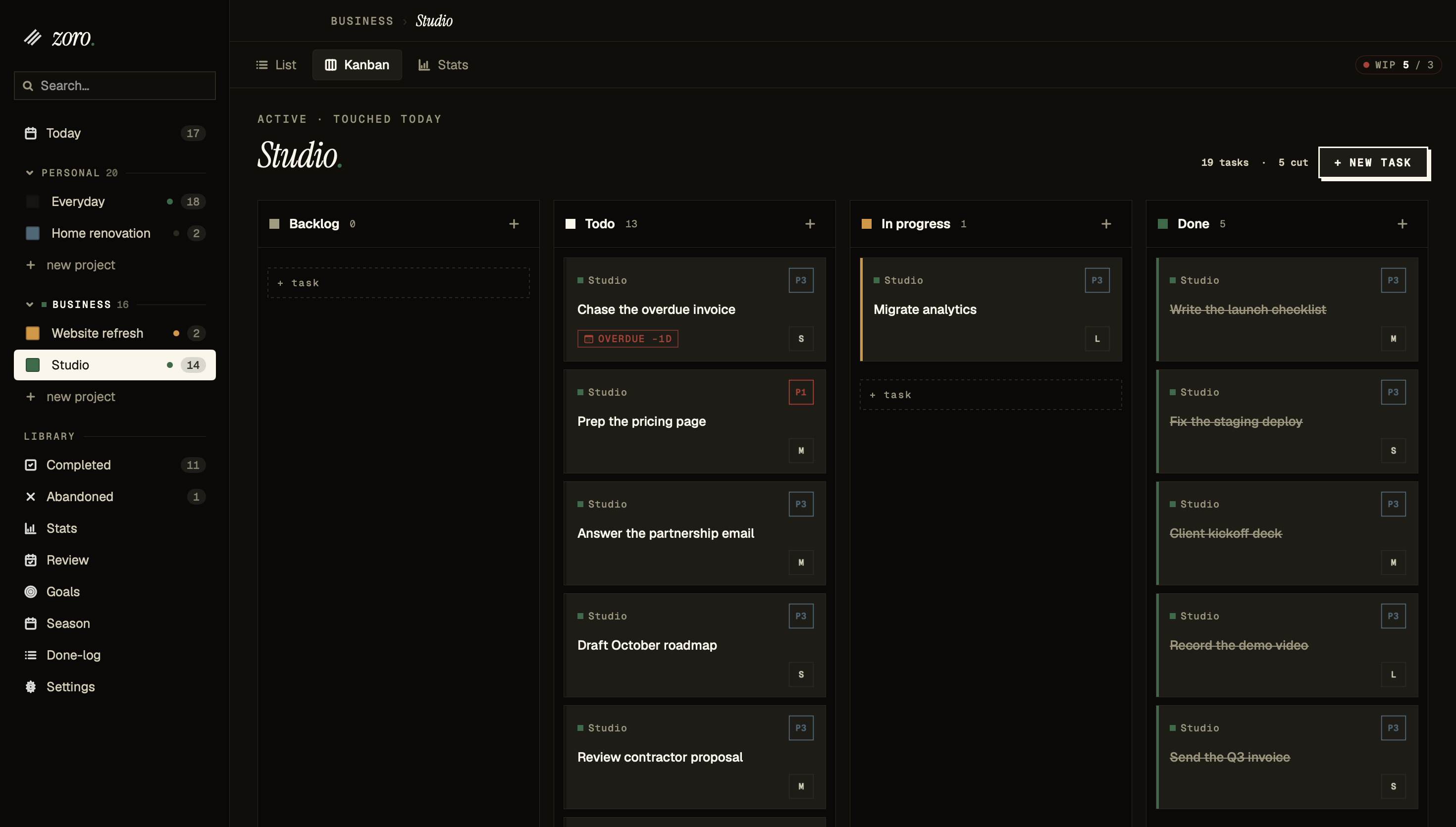
List view and kanban over the same tasks. Drag inside a column, drag between columns. Switch views, not apps.
What Zoro still doesn't have
Up front, so you don't have to ask.
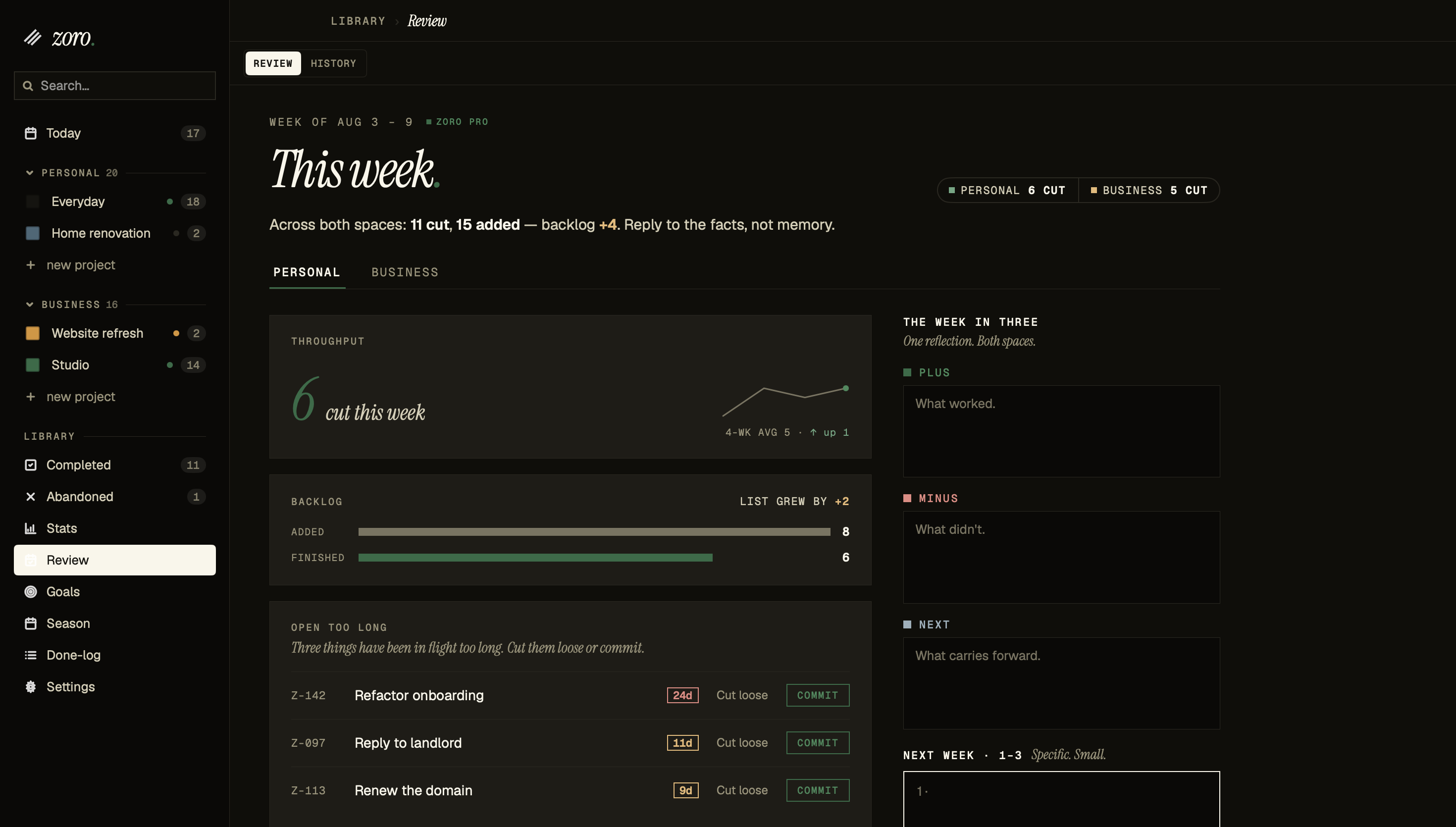
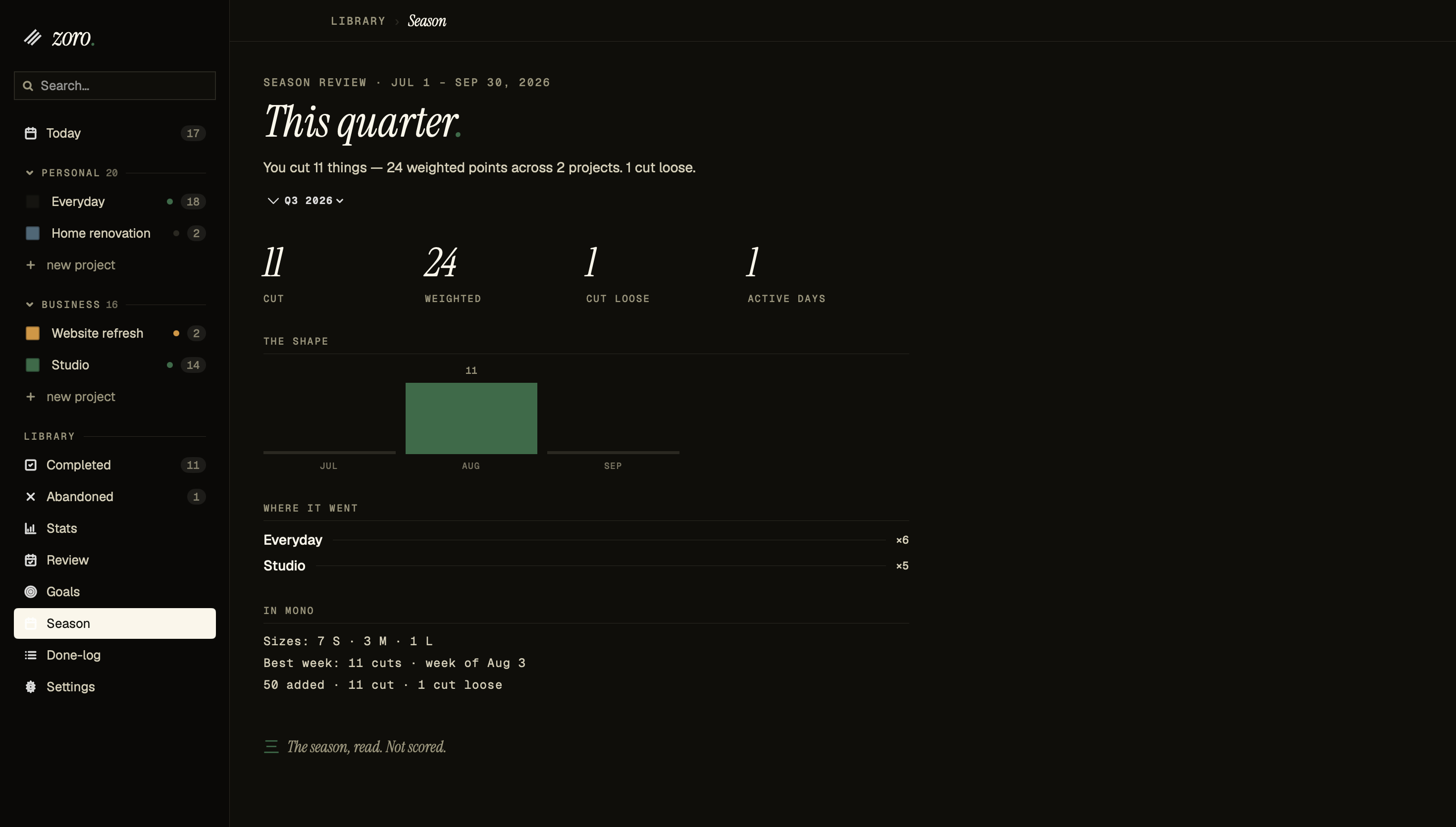
Collaboration is a permanent no — Zoro is single-player by design. Web is in development. Shipped since launch: widgets and the full board on iPhone (1.2.0), task history, snapshots and search (1.3.0), quarterly goals and the Season Review (1.4.0). Due dates, wake-on-due and recurring tasks are in the app today.
Pull quote
For your story.
"Every task app on the App Store either thinks I'm running a 20-person team or treats me like a child learning to make lists. Zoro is for the person in between — someone who knows what backlog, priority, and effort mean, and just wants those words to mean what they mean."
Screenshots
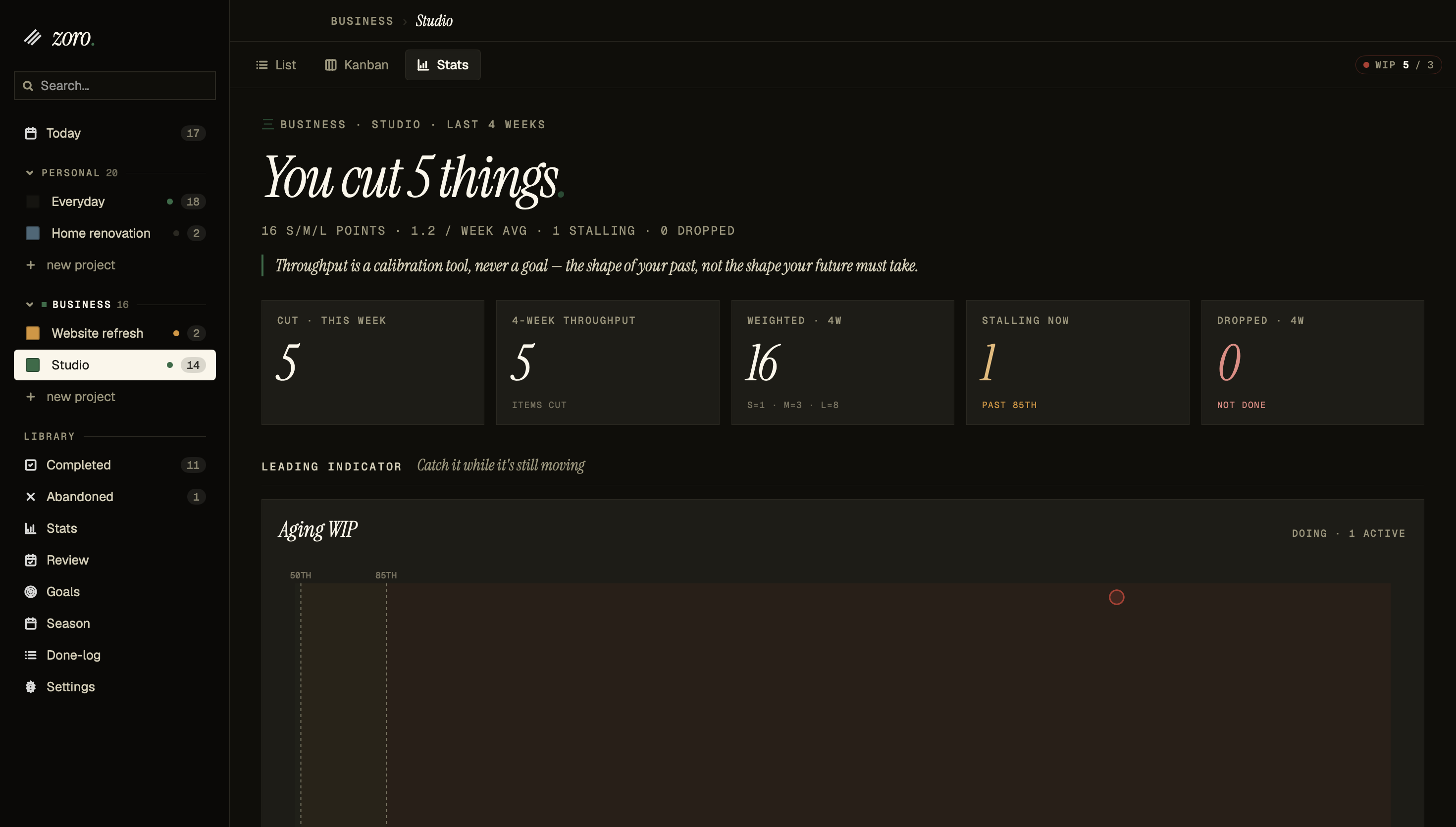
The Mac app, as it ships.
Click any shot for the full-resolution PNG (2940 × 1670, Retina @2x). Free to use in coverage, no attribution required. Captured on macOS with demo data — the app follows system appearance, so these are dark mode. Need light mode, the iPhone build, the app icon, or a different view? Email and it's yours the same day.
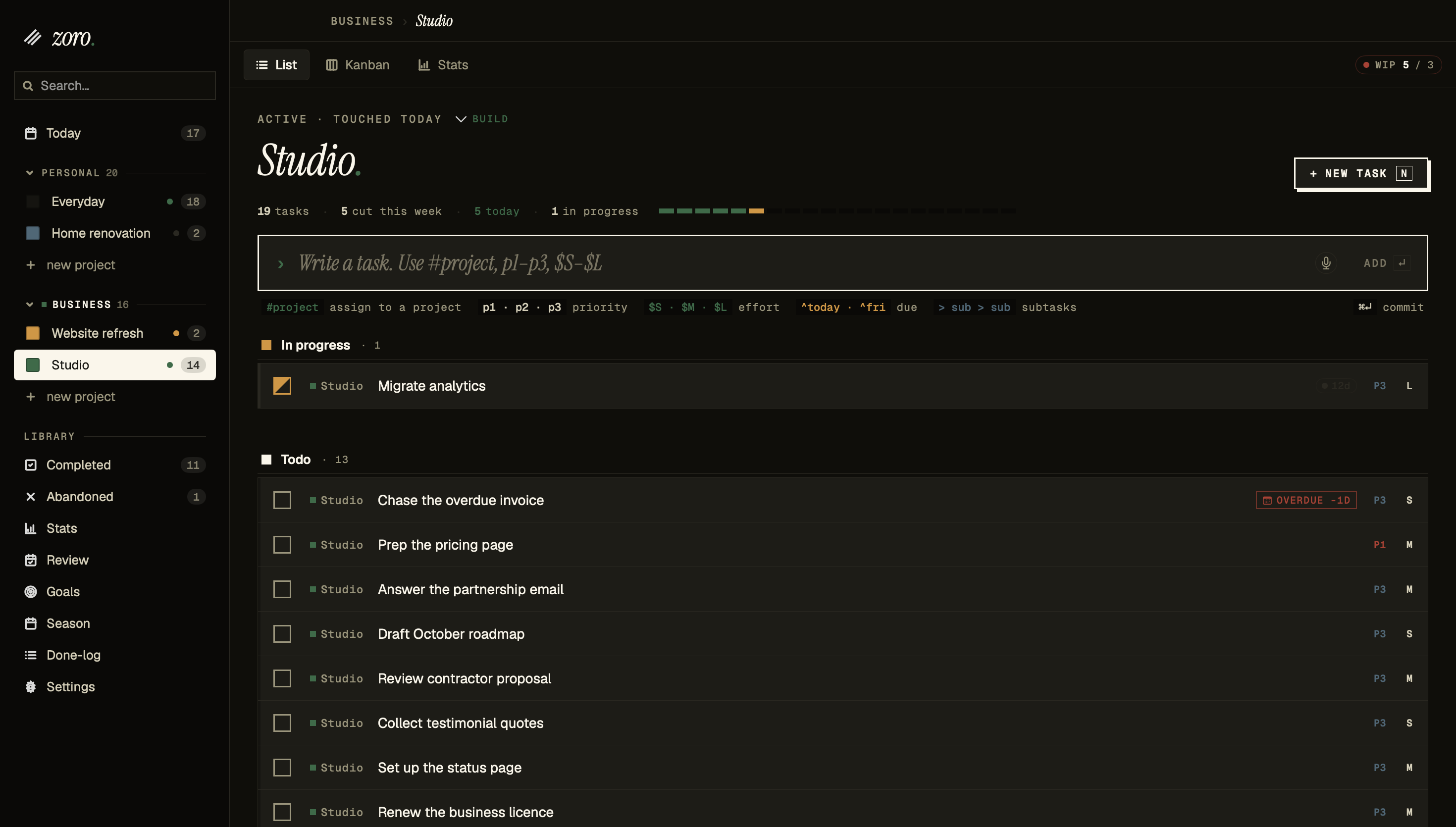
#project p1 $S syntax, priority and effort on every row.Assets & access
Video, icon, embargoed builds.
Screenshots are above — take them directly. For the app icon, preview video, light-mode or iPhone captures, or to set up an embargoed review build, email directly. Embargoed access is available to one outlet at a time and includes 7-day pre-release TestFlight access and a 30-minute walkthrough with the founder.
Email brian@leadvibe.app →